← All five tools

Isotrac · the personal isolation lock reminder

The isolation lock you
won't leave behind.

Drive off with your lock still on the gear and Isotrac fires an alarm the moment you hit vehicle speed (about 22 km/h). Loud as your morning alarm — straight through silent mode, Do Not Disturb and Bluetooth. Doesn't stop until you Lock Off.

Real recording. The alarm firing as it would on your phone. Tap to play with sound.

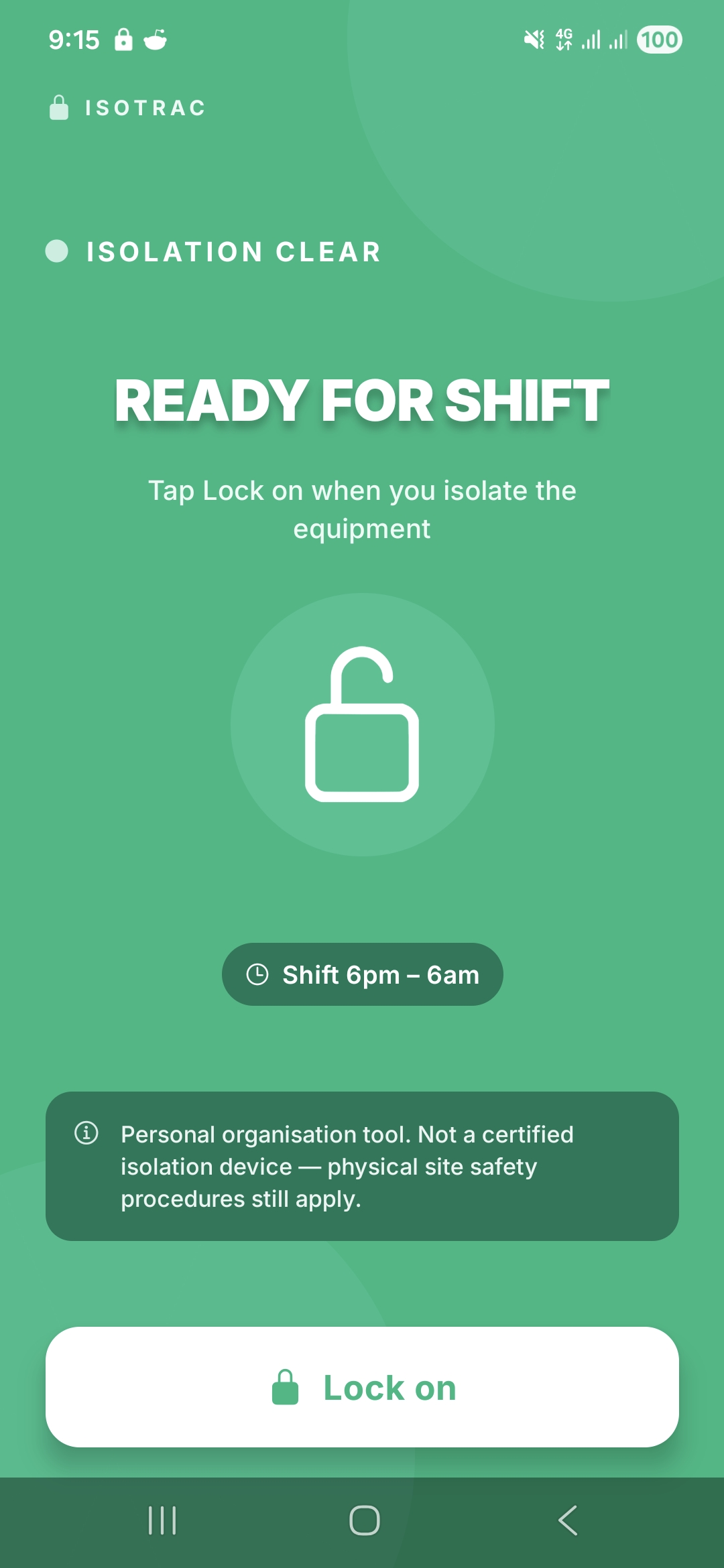
In-app Isotrac green screen, ISOLATION CLEAR, READY FOR SHIFT, Lock On button
In-app · Tap Lock On
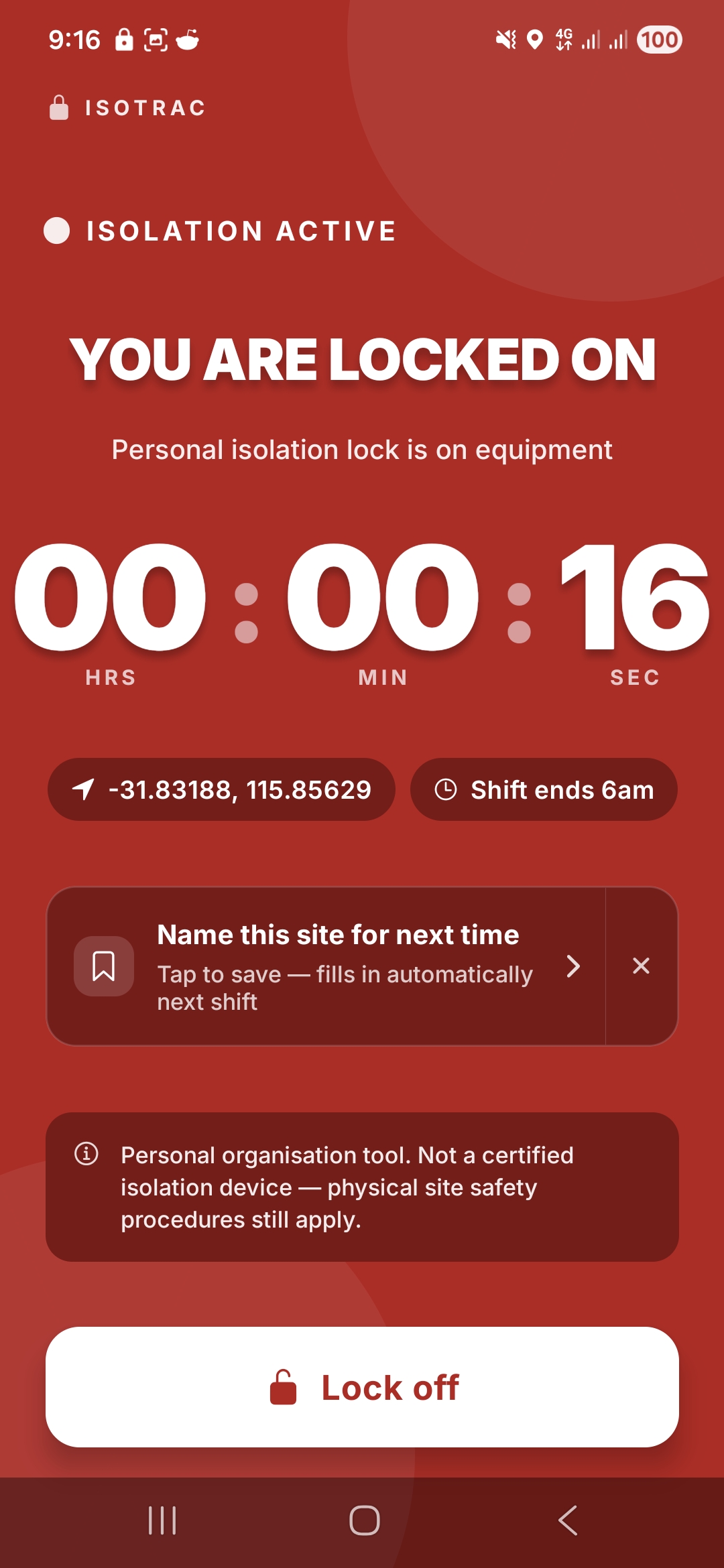
In-app Isotrac red screen, ISOLATION ACTIVE, YOU ARE LOCKED ON, timer running
In-app · Tap Lock Off

Two views. One quiet loop.

The card you glance at all day. The screen you tap when you act.

Isolate the equipment — a panel, a switchboard, any isolation point — with your lock as you always do. Then tap into ShiftCore. One button flips the screen, a timer runs while you're locked on, and you tap Lock Off when the lock comes back off.

  • Top of notifications all shift.green when clear, red when active.
  • One-tap Lock On / Lock Off.the timer tracks your physical lock.
  • Off shift, off your phone.only shows during your roster's hours.
The glanceable card during your day

Three real moments where the notification lands.

No need to remember to check. The card sits in your notification panel — you see it every time you look at your phone.

Doing your Take 5

Glance at the panel. Green card says ISOLATION CLEAR — you haven't locked on yet. Place your lock, open ShiftCore, tap Lock On.

Walking back to the ute

Checking the time. Red card says ISOLATION ACTIVE · Since 10:42am — your lock's still on the gear. Walk back, take it off, tap Lock Off.

On smoko, scrolling

It's right there at the top — you see it without trying. Only shows during shift hours. Off shift, day off, gone.

In your notifications, all shift

The quiet card that means the alarm never fires.

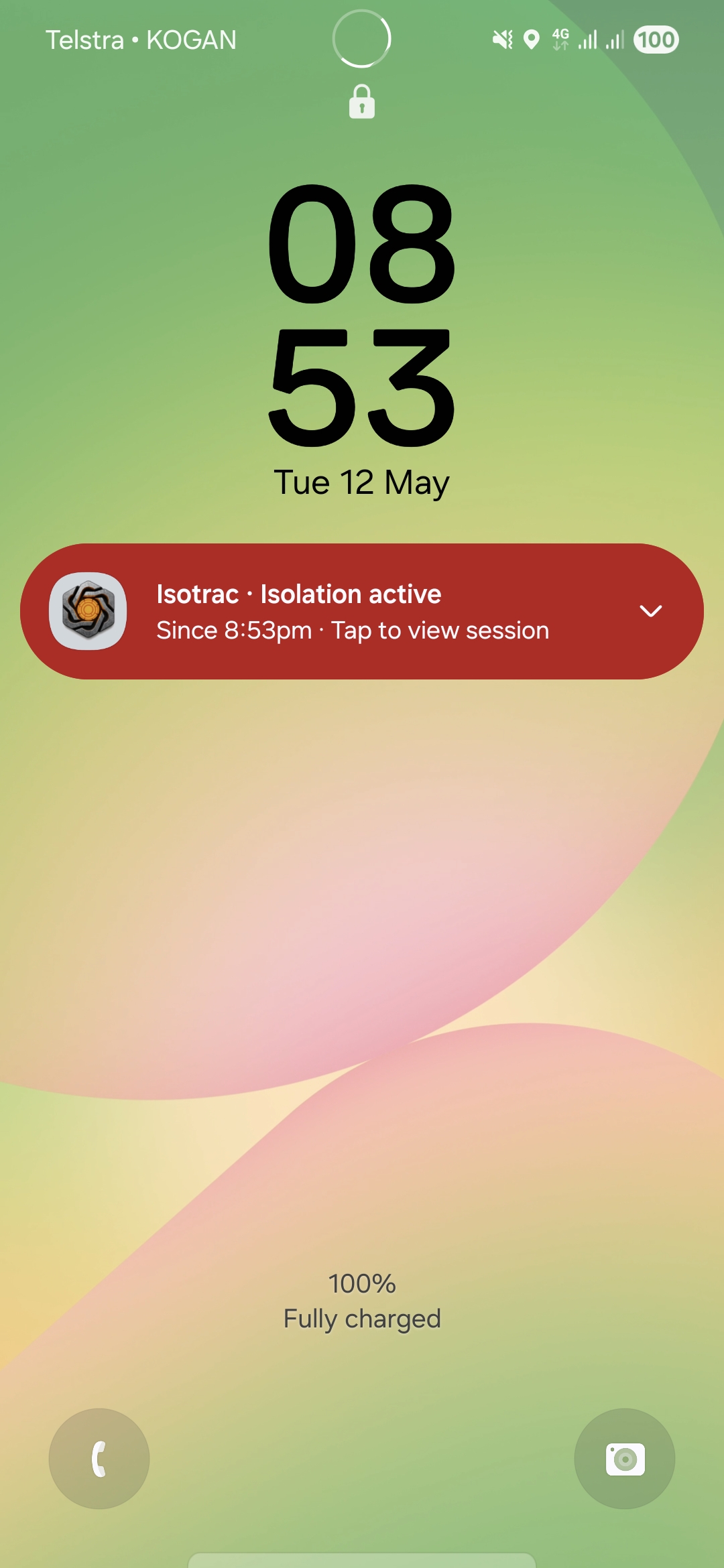
Pinned at the top of your notifications all shift. Green when your lock's off the gear, red with a running timer when it's on. Always there at a glance, never taking over.

  • Visible all shift.pinned to the top during your roster's hours.
  • Green for clear, red for active.flips the instant you tap.
  • Off shift, gone.disappears between swings — no nagging on days off.
  • One tap to act.open ShiftCore from the card to flip Lock On / Off.
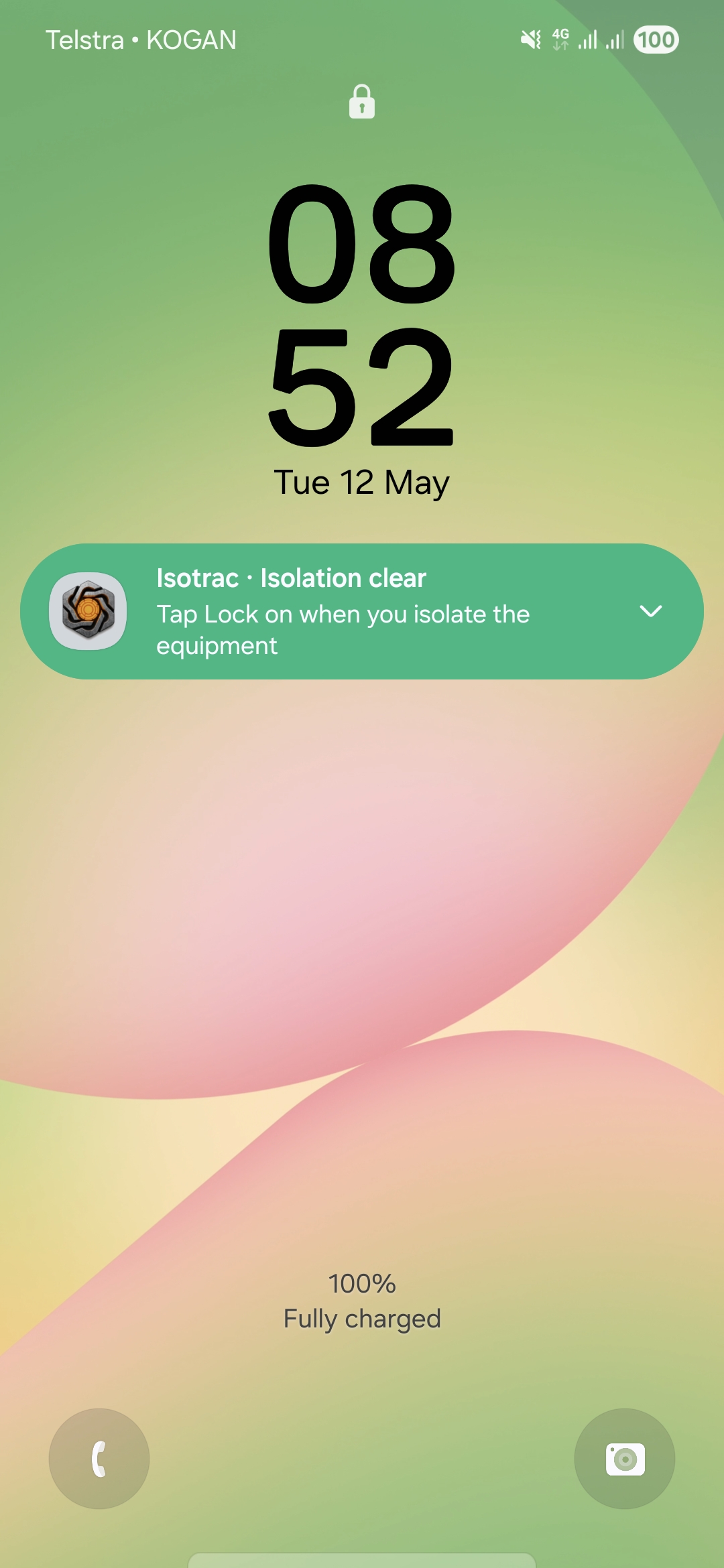
ShiftCore Isotrac notification card, green: Isotrac · Isolation clear · Tap Lock on when you isolate the equipment
Before lock on
ShiftCore Isotrac notification card, red: Isotrac · Isolation active · Since 11:10pm
After lock on

Built from a real story

Two near-incidents in three months.

I'm a FIFO worker who writes code on the side. Isotrac came out of two near-incidents with my own isolation lock.

The first was a workshop drill. Finished the job, walking back to take my isolation lock off when a colleague stopped me with a question. Got distracted, packed up, drove 45 minutes to the next site. Tried to lock on there. Could not find my isolation lock, and remembered. Drove the 45 minutes back, rang the colleague, dealt with it.
The second was worse. Working on a digger during a shut. Finished, went back to camp, completely forgot. At 10pm I got a phone call from the night-shift supervisor asking me to come back and remove my isolation lock. Drove out, took it off, drove back. Next morning at prestart I got a written notice for an isolation breach.

That's when I made a promise: build something that always reminds me, so it never happens again. Not to me, not to anyone who's had a long day and a friendly word at the wrong moment.

Isotrac is what came out of that promise.

Important. What Isotrac is and is not.

Isotrac is a personal reminder. It helps you lock on, lock off, and not leave site with your lock still on the gear.

Isotrac is not a certified lockout / tagout device, not an electrical isolation control measure, and does not replace any site safety procedure or company isolation system. The off-site alarm is a backup, not a primary control.

You must still follow all site safety requirements, your employer's isolation procedures, and any applicable regulations. Always physically verify your lock is on the gear, and physically verify it's removed before leaving.

The other three

What else is in ShiftCore.

Ready when you are

One app for everything you carry.

ShiftCore is free for 30 days. No sign-up, no card upfront. Cancel any time.