← All four pillars

Pillar 4 of 4 · Roster

Your swing, set once.
Reused forever.

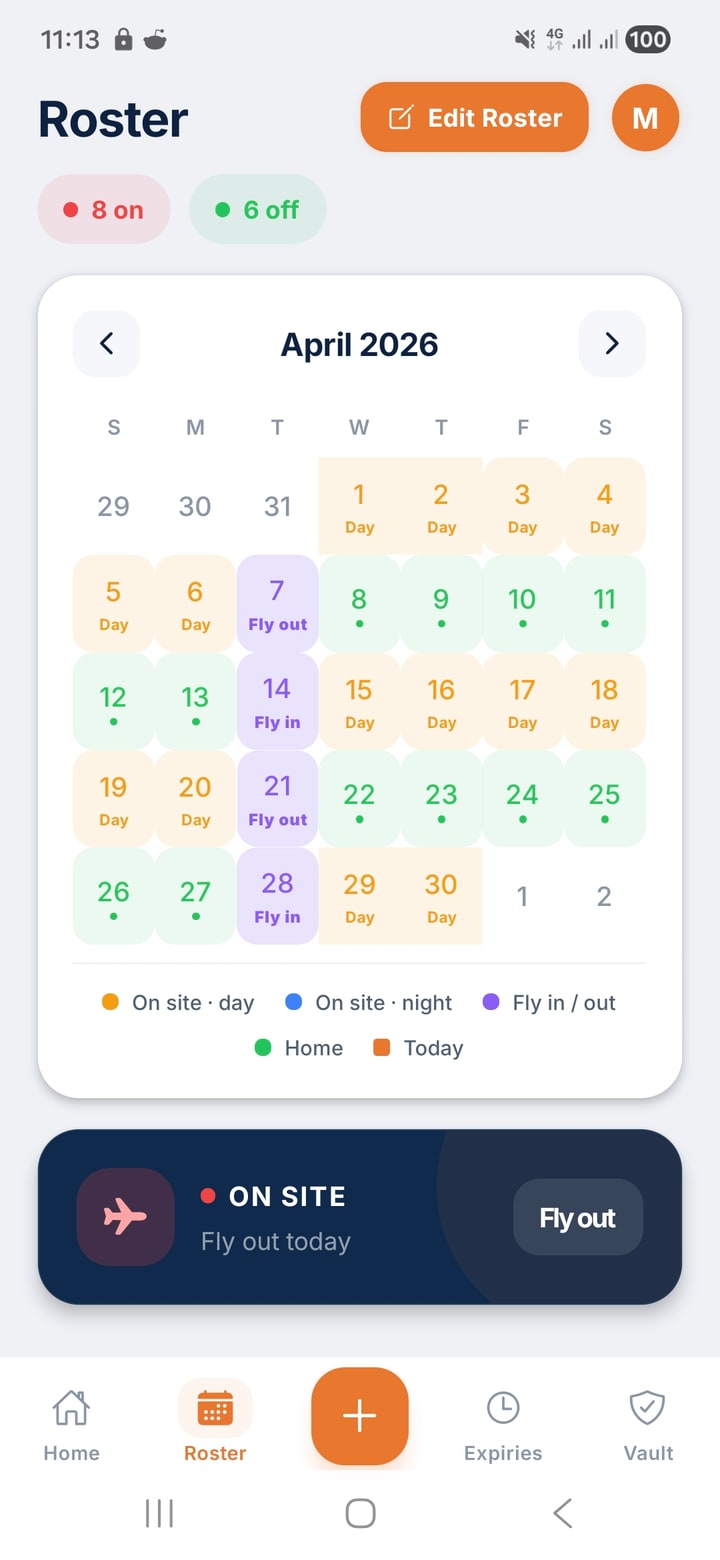
8-on-6-off, 14-on-7-off, 2-on-2-off, custom — every FIFO pattern, day or night shift, set once and it just keeps rolling. Isotrac uses these dates to know when to show. Expiries align to it. Pay cycle reads from it. One source of truth for your whole swing.

My roster
May 2026
M
T
W
T
F
S
S
5
6
7
8
9
10
11
12
13
14
15
16
17
18
19
20
21
22
23
24
25
Day shift Night shift Off swing

Every FIFO pattern

Pick yours. Or build your own.

The common patterns are pre-built. If yours isn't here, build it: drag the cycle, pick the start date, done.

8/6
days on / off

Standard 8-and-6

Most common Pilbara and Goldfields pattern. Eight days on site, six days at home.

14/7
days on / off

Two-week swing

Common on shutdowns and remote shutdown crews. Two weeks on, one week at home.

2/2
weeks on / off

Even-time

Long-haul mining, oil and gas. Two weeks on, two weeks off — equal time.

7/7
days on / off

Seven-and-seven

Common in shutdown trades. A clean seven-day swing with seven days at home.

5/2
days on / off

Local DIDO

Drive-in drive-out and town-based site work. Standard five-day week with weekends.

Build your own

Custom pattern

Any combination — 3/1, 9/5, 4/3, alternating swings, leap-frogged crews. Set the cycle, ShiftCore reuses it forever.

Day or night shift, both handled

Sleep at the right time. Reminders fire at the right time.

When you tell ShiftCore your shift hours, the whole app behaves around them. Isotrac shows during your real working hours, not 9-to-5. Expiry alerts don't ping you when you're trying to sleep through daylight. Pay cycle reads from your actual swing pattern.

  • Per-roster shift hours — different patterns can run different times.
  • Night-shift-aware reminders — alerts respect your sleep window, not Australia's.
  • Crossover swings — handles rosters that start day-shift, finish night-shift.
May → Jun · day + night swing
Mixed pattern
M
T
W
T
F
S
S
26
27
28
29
30
31
1
2
3
4
5
6
7
8
9
10
11
12
13
14
15
Day shift Night shift Off swing

The spine of the app

Roster powers three other pillars.

Set your roster once. Isotrac, expiries, and pay cycle all read from it. Change a swing — the whole app shifts with you.

🔒

Isotrac knows when you're on shift

The notification card appears during your real shift hours. Day off, gone. Night-shift week, evening only. The reminder doesn't show when you're at home, in bed, or having a beer.

Expiries align to your R&R

Renewal reminders time themselves to your next gap. You see "renew this" when you have an actual chance to renew — not when you're a thousand km from any clinic.

💰

Pay cycle reads your swings

When the swing closes, your pay cycle counts the right number of days. Bills align to paydays, not to a generic monthly calendar. What's left after the swing is actually what's left.

Setting up your roster

Three taps. Sixty seconds.

1

Pick the pattern

Tap your roster from the pre-built list (8/6, 14/7, 2/2, etc) or hit Custom and drag the cycle.

2

Set your first day on

One date — your next fly-out, your most recent fly-out, or the day you started this roster. ShiftCore extrapolates forward and backward.

3

Choose day or night

Tick the box if it's a night-shift swing. Set the shift hours. Done — the calendar rolls forever from here.

The other three

What else is in ShiftCore.

Ready when you are

One app for everything you carry.

ShiftCore is free for 60 days. No card upfront. Cancel any time.