← All five tools

Vault · every ticket, cert and licence — scan to PDF

Every certificate.
One place. Offline.

Tickets, inductions, medicals, permits — sorted by type, pulled up in two taps when the gate guard wants proof. Scan paper with your phone camera straight to the right folder, ready offline.

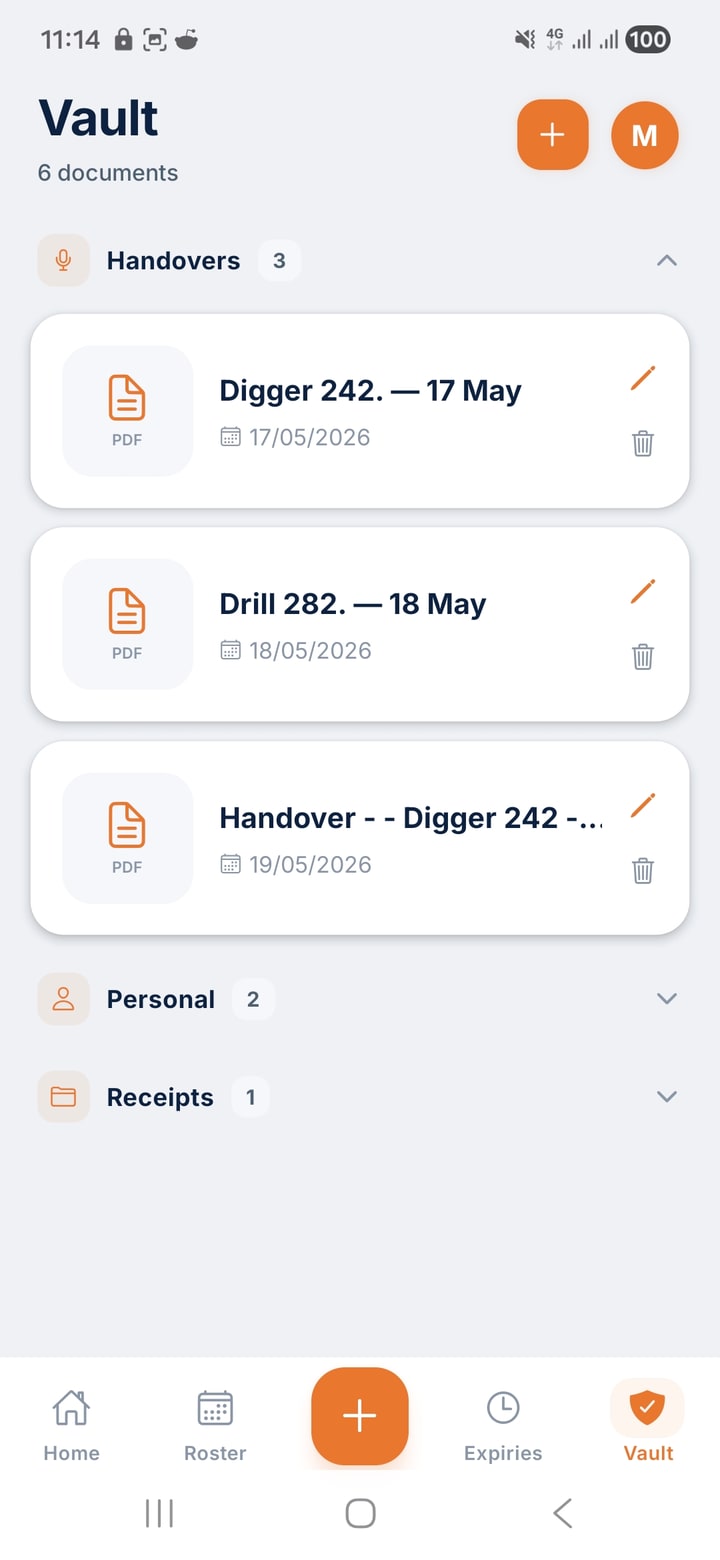
ShiftCore Vault tab — Handovers folder open with three PDFs, plus Personal and Receipts folders below.

Sorted by ticket type

Inductions, tickets, medicals, permits. Each in their own folder.

Tap a folder, see what's in it — file count, last-opened date, which docs came from a scan. No more hunting your white card across email, downloads, and a three-year-old screenshot.

  • Predictable folders.Inductions, Tickets, Medicals, Permits, Forms — pre-named so you don't decide.
  • Scans go home.anything you scan lands in the right folder automatically.
  • Search and tag.type a ticket name, find it in a second.
Vault · sorted
White card
PDF · 1.2 MB · added 12 Mar
PDF
Working at heights
PDF · 980 KB · phone-scanned
PDF
Confined space
PDF · 720 KB · added 04 Apr
PDF
Scan · Capturing page 2
Page edges locked · Saving to Vault
Scan to PDF · inside Vault

The site printer is dead. Use your phone.

Built on the same engine Google Drive uses for Scan. Point your phone at a permit, receipt, signed form, or hand-marked drawing. It finds the edges, crops, corrects perspective, and stitches a clean multi-page PDF — straight into the right Vault folder.

  • Automatic edge detection.finds the page on a workbench, a ute bonnet, or a dusty crib-room table.
  • Perspective correction.the page comes out flat and square, not at the angle you shot it.
  • Multi-page in one PDF.keep tapping Add Page. One file out.
  • Lands in the right folder.Permits → Permits, Tickets → Tickets. Or email straight from the camera.

How Scan works

Tap. Frame. Send.

1

Tap Scan

Inside any folder, hit Scan. Your camera opens with the document overlay live.

2

Frame the page

Hold the phone over the page. It finds the edges, locks the frame, grabs the shot. Keep going for more pages.

3

Save or email

One clean PDF. Save it to the folder you started in, or email it on the spot — no printer.

Offline ready

Pulled up at the gate where the signal is rubbish.

Your Vault lives on your phone first — sync is a bonus, not a requirement. Gate guard wants proof of induction at 4am on one bar? Open Vault, tap the folder, show the PDF. Done.

  • On-device first.every file is there with airplane mode on.
  • Sync when there's signal.back to your other devices automatically once you're on network.
  • Scanning never needs network.the engine runs locally; the PDF saves locally.
Vault · offline mode
Site inductions
✓ Available offline
4
Tickets and licences
✓ Available offline
3
Medicals
✓ Available offline
2

Yours and only yours

Stored in Australia. Never shared with your employer.

Your Vault is yours — not your supervisor's, your employer's, or the LMS your site runs on. Files sit on Australian infrastructure, access locked to your account.

  • Australian-hosted.your documents stay in-country.
  • Never sold. Never shared without your consent.no advertisers, no data deals, no employer access by default.
  • You delete, it's gone.remove a file and it's off sync immediately.
Privacy · all green
Hosted in
Sydney, Australia
AU
Shared with employer
Never
Sold to advertisers
Never

The other three

What else is in ShiftCore.

Ready when you are

One app for everything you carry.

ShiftCore is free for 30 days. No sign-up, no card upfront. Cancel any time.